Getting started
What is webshotapi?
WebShotApi is a simple and effective website screenshot and html/words extractor api server.
Features:
- Website screenshot from url, markdown or plain html.
- AI remove cookies popup before image capture via exclusive algorithm.
- Video Scrolling screenshot - a unique feature that allows recording websites into a video file.
- download html and corresponding rendering after the browser's processing.
- extract words with coordinates.
- extract html elements with attributes and css styles.
- convert a web page to a pdf.
- premium proxy, geotargeting, custom proxy.
- export to S3 buckets.
We always make sure that the browser we support is in the latest version. If you want to generate many screenshots at the same time, our server is able to handle thousands of queries from many clients.
Scrolling screenshot
Our service offers a simple way to automatically record scrolling screenshots of any webpage and convert them to nice videos. Rather than taking static images, our tool runs a real browser and simulates scrolling, recording directly from your spreadsheet and the entire .page surface from top to bottom.
This process opens the door for long-form content to be shown, documents web designs, creates demos, or performs visual reports with no stitching of images or editing. It is all done fully automatic, simply give the link, and the scrolling video will be done in fractions of a second!
Remove cookies popup before take a screenshot
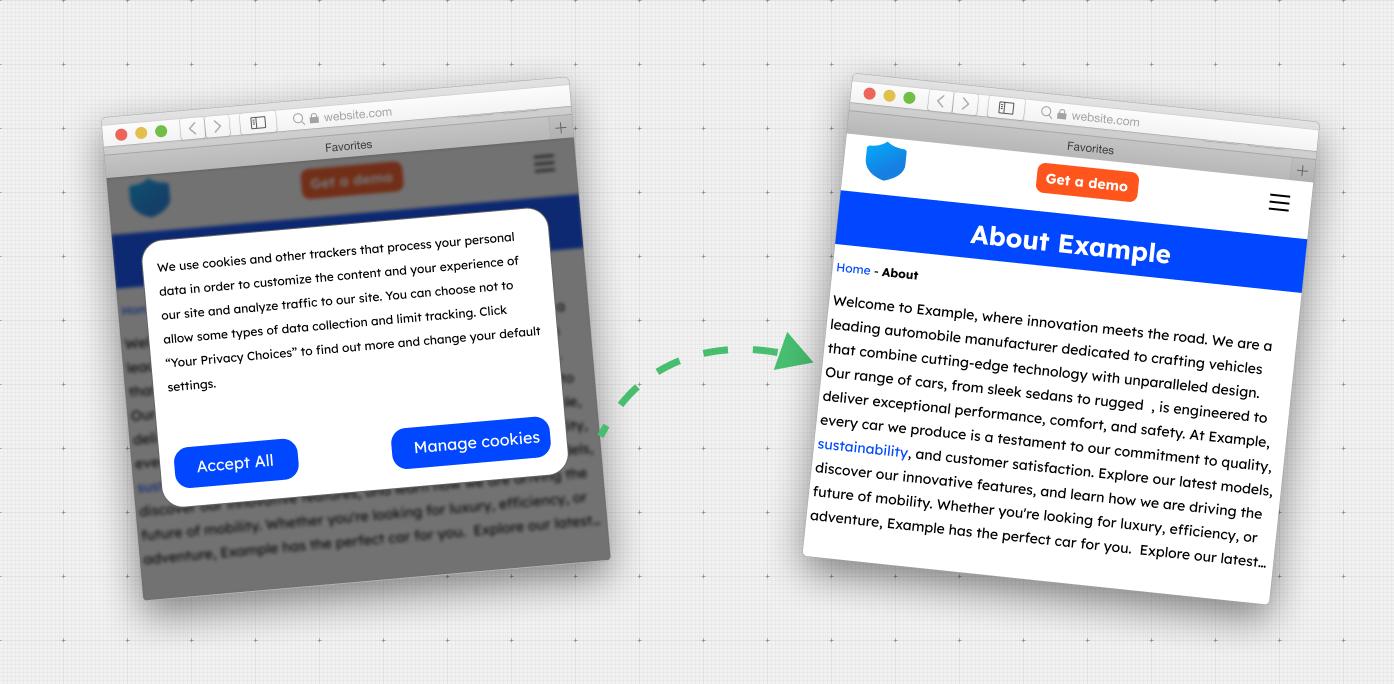
Our service enables the automatic removal of cookie popups before taking a screenshot. Our unique solution is one of a kind worldwide, and thanks to AI, we achieve high effectiveness, up to 99% accuracy. By leveraging cutting-edge technology, we ensure developer experiences and exceptional results. Read more: click here
Unlock the full potential of WebShotApi with these advanced functionalities, empowering you to achieve unparalleled accuracy, efficiency, and customization in your website screenshot api.
Get your api key
Create account or buy first premium package and get from dashboard (https://dashboard.webshotapi.com/api_keys/) your unique api key for send first request.
First requests
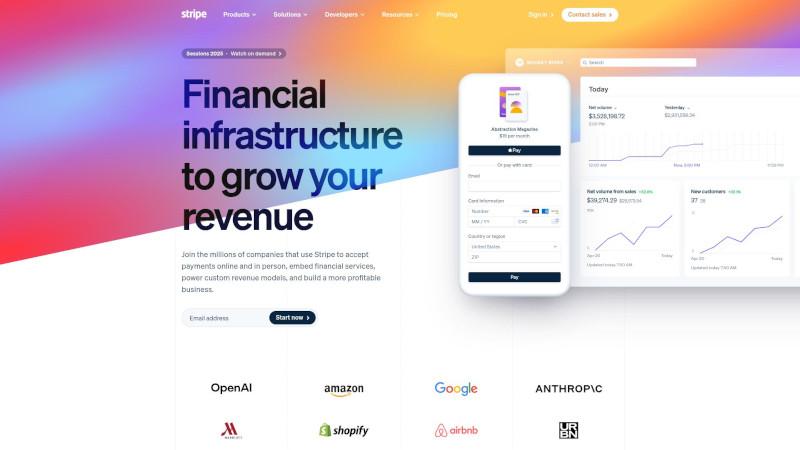
1. Request for screenshot with auto remove modals
This request will generate output jpg file with HD screenshot of website.
Result output file:
2. Request for scrolling video screenshot
Below request will generate video in mp4 format with auto scrolling. Read more in our blog
Result output file:
3. Request for extract html elements, words, html, clean text
The following HTTP request will generate a JSON file with the following fields:
- text – exports the plain text from the page without HTML tags
- html – exports the HTML after the page is rendered by the browser
- elements – an array of HTML elements with their CSS selectors, x,y coordinates, width, height, all HTML attributes, and basic CSS styles
- words – an array containing all the words displayed on the page along with their coordinates.
Result output file: Download full output file
SDK clients
Installing dependencies
In this chapter, we'll delve into the process of installing the special package for our official SDK clients for your favorite language. In your terminal or command prompt, execute the following command:
Of course, you can use other languages. Use the code generator to generate a query for any language. Click here to see code generator
Hello world from our clients (Send first request)
This is sample code written in nodejs to send the first request to our server via the official SDK client. The code below will take a screenshot and automatically remove the cookie popup from the website. The resulting file will be saved as png.
If you use other programmatically languages you can use our code generator
- Previous
- Blog
- Next
- Hello world